Forgejo
Forgejo provides source code management, project management, and CI/CD automation for the EDP.
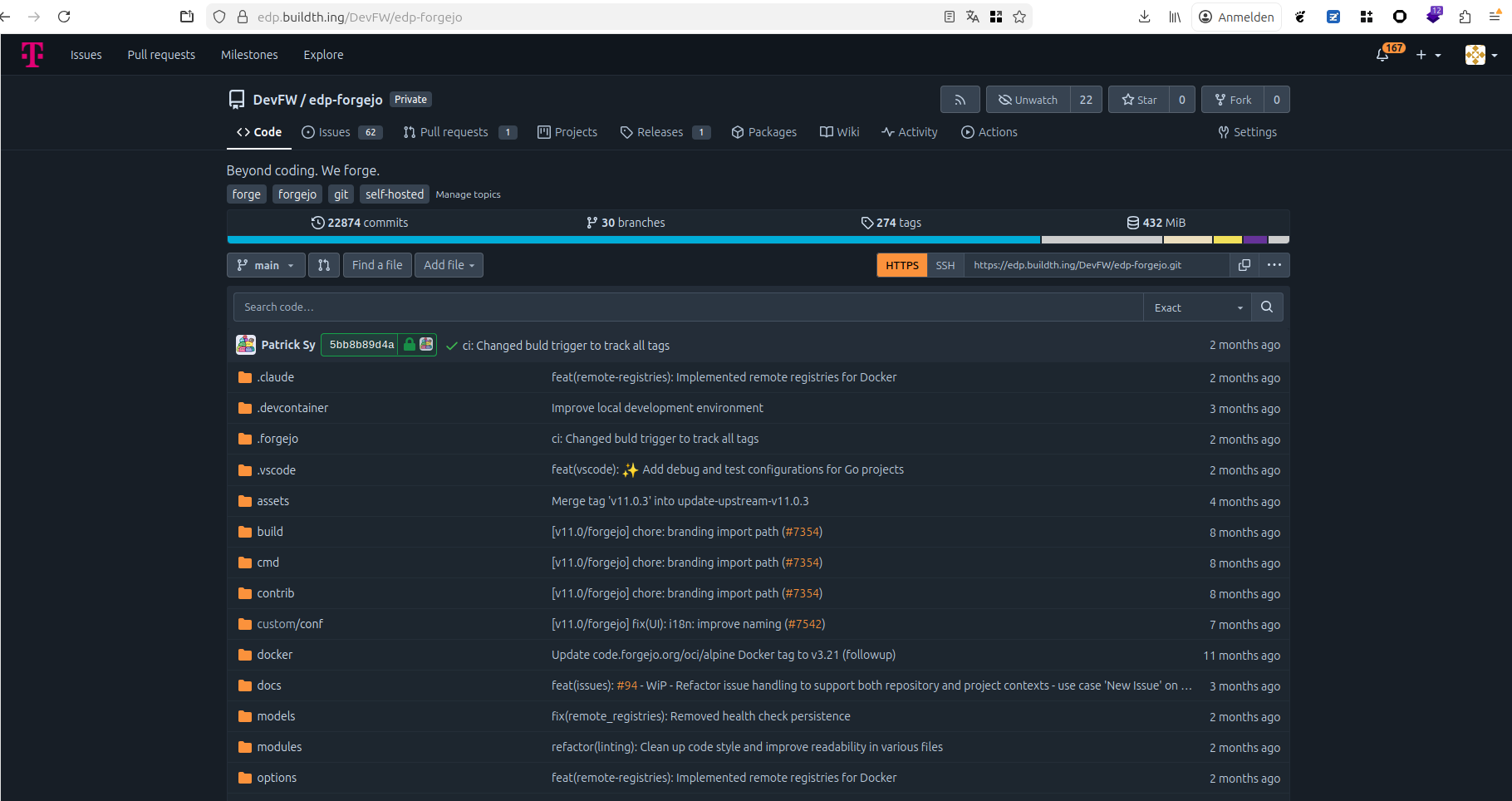
The internal service is officially designated as the Edge Developer Platform (EDP). It is hosted at edp.buildth.ing. The domain selection followed a democratic team process to establish a unique identity distinct from standard corporate naming conventions.
Technical Architecture & Deployment
Infrastructure Stack
The platform is hosted on the Open Telekom Cloud (OTC). The infrastructure adheres to Infrastructure-as-Code (IaC) principles.
- Deployment Method: The official Forgejo Helm Chart is deployed via ArgoCD.
- Infrastructure Provisioning: Terraform is used to provision all underlying OTC services, including:
- Container Orchestration: CCE (Cloud Container Engine): Kubernetes
- Database: RDS (Distributed Cache Service): PostgreSQL
- Caching: DCS (Distributed Cache Service): Redis
- Object Storage: OBS (Object Storage Service, S3-compatible): for user data (avatars, attachments).
- Search: CSS (Cloud Search Service): Elasticsearch
The “Self-Replicating” Pipeline
A key architectural feature is the ability of the platform to maintain itself. A Forgejo Action can trigger the deployment script, which runs Terraform and syncs ArgoCD, effectively allowing “Forgejo to create/update Forgejo.”
graph TD
    subgraph "Open Telekom Cloud (OTC)"
        subgraph "Control Plane"
            Dev[DevOps Engineer] -->|Triggers| Pipeline[Deployment Pipeline]
            Pipeline -->|Executes| TF[Terraform]
        end

        subgraph "Provisioned Infrastructure"
            TF -->|Provisions| CCE[(CCE K8s Cluster)]
            TF -->|Provisions| RDS[(RDS PostgreSQL)]
            TF -->|Provisions| Redis[(DCS Redis)]
            TF -->|Provisions| S3[(OBS S3 Bucket)]
            TF -->|Provisions| CSS[(CSS Elasticsearch)]
        end

        subgraph "Application Layer (on CCE K8s)"
            Pipeline -->|Helm Chart| Argo[ArgoCD]
            Argo -->|Deploys| ForgejoApp[Forgejo]
        end

        CCE -- Runs --> Argo
        CCE -- Runs --> ForgejoApp
        ForgejoApp -->|Connects| RDS
        ForgejoApp -->|Connects| Redis
        ForgejoApp -->|Connects| S3
        ForgejoApp -->|Connects| CSS
    end
Migration History
The initial environment was a manual setup on the Open Sovereign Cloud (OSC). Once the automation stack (Terraform/ArgoCD) was matured, the platform was migrated to the current OTC environment.
Application Extensions
Core Functionality
Beyond standard Git versioning, the platform utilizes:
- Releases: Hosting binaries for software distribution (e.g., Edge Connect CLI).
- CI/CD: Extensive pipeline usage for build, test, and deployment automation.
- Note on Issues: While initially used, issue tracking was migrated to JIRA to align with the broader IPCEI program standards.
GARM (Git-based Actions Runner Manager)
The primary technical innovation was the integration of GARM to enable ephemeral, scalable runners. This required extending Forgejo’s capabilities to support GitHub-compatible runner registration and webhook events.
Development Methodology & Contributions
Workflow
- Branching Strategy: Trunk-based development was utilized to ensure rapid integration.
- Collaboration: The team adopted Mob Programming. This practice proved essential for knowledge sharing and onboarding junior developers, creating a resilient and high-intensity learning environment.
- Versions: The platform evolved from Forgejo v7/8 through v11.0.3-edp1 to the current
edp-forgejo v14 (upgraded Q1 2026, IPCEICIS-7848). The Forgejo 14 upgrade resolved outstanding version lag and enabled adoption of the latest upstream GARM integration features.
Open Source Contributions
We actively contributed our extensions back to the upstream Forgejo project in a list of Codeberg.org pull requests
Artifact Caching (Pull-Through Proxy)
We implemented a feature allowing Forgejo to act as a pull-through proxy for remote container registries, optimizing bandwidth and build speeds.
A security hardening initiative was completed in Q1 2026 across the EDP platform:
Multi-Factor Authentication
MFA is now enabled and enforced for all EDP platform users at edp.buildth.ing. Users are required to configure a TOTP-compatible authenticator on next login.
Forgejo Administration Cleanup
A review of Forgejo administration accounts and service accounts was carried out. Redundant admin and bot accounts were removed or scoped down, tightening the overall access surface of the platform.
Automated Vulnerability Scanning (Trivy)
Trivy vulnerability scanning is now automated in EDP CI/CD pipelines via a Forgejo Action. Scans cover container images, source code dependencies, and IaC configurations. Results are automatically uploaded to the Dependency-Track instance for tracking and triage.
Redis Reliability Fix
Redis (the Distributed Cache Service powering Forgejo on OTC) was prone to filling up under active crawling load, causing 500 errors across Forgejo operations. An automated remediation was implemented:
- An OTC Cloud Eye alarm monitors Redis memory usage
- A notification channel triggers a cloud function when the threshold is approached
- The cloud function automatically clears Redis data before it causes Forgejo to break
This eliminates the need for manual intervention to restore Forgejo availability after Redis saturation events.
These KPIs measure the effectiveness of the Forgejo setup and quantify our strategic commitment to the Forgejo community.
| KPI | Description | Target / Benchmark |
|---|
| Deployment Frequency | Frequency of successful pipeline executions. | High (Daily/On-demand) |
| Artifact Cache Hit Rate | Percentage of build requests served by the local Forgejo proxy. | > 90% (Reduced external traffic) |
| Upstream Contribution | Percentage of GARM-related features contributed back to Codeberg. | 100% (No vendor lock-in) |
| PR Resolution Time | Average time for upstream community review and merge. | < 14 days (Healthy collaboration) |
1 - Forgejo Actions
GitHub Actions-compatible CI/CD automation
Overview
Forgejo Actions is a built-in CI/CD automation system that enables developers to define and execute workflows directly within their Forgejo repositories. As a continuous integration and continuous deployment platform, Forgejo Actions automates software development tasks such as building, testing, packaging, and deploying applications whenever specific events occur in your repository.
Forgejo Actions provides GitHub Actions similarity, allowing teams to easily adapt existing GitHub Actions workflows and marketplace actions with minimal or no modifications. This compatibility significantly reduces migration effort for teams transitioning from GitHub to Forgejo, while maintaining familiar syntax and workflow patterns.
Workflows are defined using YAML files stored in the .forgejo/workflows/ directory of your repository. Each workflow consists of one or more jobs that execute on action runners when triggered by repository events such as pushes, pull requests, tags, or manual dispatch. This enables automation of repetitive development tasks, ensuring consistent build and deployment processes across your software delivery pipeline.
By integrating CI/CD directly into the repository management platform, Forgejo Actions eliminates the need for external CI/CD systems, reducing infrastructure complexity and providing a unified development experience.
Key Features
- Automated Workflow Execution - Execute automated workflows triggered by repository events such as code pushes, pull requests, tag creation, or manual dispatch, enabling continuous integration and deployment without manual intervention
- GitHub Actions Similarity - Maintains similarity with GitHub Actions syntax and workflows, allowing reuse of existing actions from the GitHub marketplace and simplifying migration from GitHub-based CI/CD pipelines
Purpose in EDP
Forgejo Actions enables EDP customers to execute complete CI/CD pipelines directly on the platform for building, testing, packaging, and deploying software. This integrated automation capability is fundamental to the EDP value proposition.
Without native CI/CD automation, customers would face significant integration overhead connecting external CI/CD systems to their EDP workflows. This fragmentation would complicate pipeline management, increase operational complexity, and reduce the platform’s effectiveness as a unified development solution.
Since Forgejo Actions is natively integrated into Forgejo, EDP provides this critical CI/CD capability with minimal additional infrastructure. Customers benefit from seamless automation without requiring separate tool provisioning, authentication configuration, or cross-system integration maintenance.
Getting Started
Prerequisites
Quick Start
- Create a repository
- Create file
/.forgejo/workflows/example.yaml
# example.yaml
name: example

on:
  workflow_dispatch:

jobs:
  build:
    runs-on: ubuntu-latest
    steps:
      - name: Hello World
        run: |
          echo "Hello World!"
- Navigate to Actions > example.yaml > Run workflow
Verification
See the logs, there should appear a “Hello World!” in “Hello World” Step
Usage Examples
Use actions to deploy infrastructure
See infra-deploy repository as a example
Use goreleaser to build, test, package and release a project
This pipeline is triggered when a tag with the prefix v is pushed to the repository.
Then, it fetches the current repository with all tags and checks out the version for the current run.
After that the application is being built.
# .github/workflows/release.yaml
name: ci

on:
  push:
    tags:
      - v*

jobs:
  goreleaser:
    runs-on: ubuntu-latest
    steps:
      - name: Checkout
        uses: actions/checkout@v4
        with:
          fetch-depth: 0
      - name: Set up Go
        uses: actions/setup-go@v6
        with:
          go-version: ">=1.25.1"
      - name: Test code
        run: make test
      - name: Import GPG key
        id: import_gpg
        uses: https://github.com/crazy-max/ghaction-import-gpg@v6
        with:
          gpg_private_key: ${{ secrets.GPG_PRIVATE_KEY }}
          passphrase: ${{ secrets.GPG_PASSPHRASE }}
      - name: Run GoReleaser
        uses: https://github.com/goreleaser/goreleaser-action@v6
        env:
          GITEA_TOKEN: ${{ secrets.PACKAGES_TOKEN }}
          GPG_FINGERPRINT: ${{ steps.import_gpg.outputs.fingerprint }}
        with:
          args: release --clean
Troubleshooting
The job is not being executed by a runner
Problem: The job is not being picked up by a runner
Solution: Probably, there is currently no runner available with the label defined in your job runs-on attribute. Check the available runner for your repository by navigating to the repository settings > Actions > Runners. Now you can see all available runners and their Labels. Choose on of them as your runs-on attribute.
Status
Maturity: Production
Additional Resources
1.1 - Runners
Self-hosted runner infrastructure with orchestration capabilities
Overview
Action runners are the execution environment for Forgejo Actions workflows. By design, runners execute remote code submitted through CI/CD pipelines, making their architecture highly dependent on the underlying infrastructure and security requirements.
The primary objective in any runner setup is the separation and isolation of individual runs. Since runners are specifically built to execute arbitrary code from repositories, proper isolation is critical to prevent data and secret leakage between different pipeline executions. Each runner must be thoroughly cleaned or recreated after every job to ensure no residual data persists that could compromise subsequent runs.
Beyond isolation concerns, action runners represent high-value targets for supply chain attacks. Runners frequently compile, build, and package software binaries that may be distributed to thousands or millions of end users. Compromising a runner could allow attackers to inject malicious code directly into the software supply chain, making runner security a critical consideration in any deployment.
This document explores different runner architectures, examining their security characteristics, operational trade-offs, and suitability for various infrastructure environments and showing off an example deployment using a Containerized Kubernetes environment.
Key Features
- Consistent environment for Forgejo Actions
- Primary location to execute code e.g. deployments
- Good security practices essential due to broad remit
Purpose in EDP
A actions runner are executing Forgejo actions, which can be used to build, test, package and deploy software. To ensure that EDP customers do not need to provision their own action runners with high efford, we provide globally registered actions runners to pick up jobs.
Repository
Code:
Documentation: Forgejo Runner installation guide
Runner Setups
Different runner deployment architectures offer varying levels of isolation, security, and operational complexity. The choice depends on your infrastructure capabilities, security requirements, and operational overhead tolerance.
Bare metal runners execute directly on physical hardware without virtualization layers.
Advantages:
- Maximum performance with direct hardware access
- Complete hardware isolation between different physical machines
- No hypervisor overhead or virtualization complexity
Disadvantages:
- Difficult to clean after each run, requiring manual intervention or full OS reinstallation
- Long provisioning time for individual runners
- Complex provisioning processes requiring physical access or remote management tools
- Limited scalability due to physical hardware constraints
- Higher risk of persistent contamination between runs
Use case: Best suited for specialized workloads requiring specific hardware, performance-critical builds, or environments where virtualization is not available.
On Virtual Machines
VM-based runners operate within virtualized environments managed by a hypervisor.
Advantages:
- Strong isolation through hypervisor and hardware memory mapping
- Virtual machine images enable faster provisioning compared to bare metal
- Easy to snapshot, clone, and restore to clean states
- Better resource utilization through multiple VMs per physical host
- Automated cleanup by destroying and recreating VMs after each run
Disadvantages:
- Requires hypervisor infrastructure and management
- Slower provisioning than containers
- Higher resource overhead compared to containerized solutions
- More complex orchestration for scaling runner fleets
Use case: Ideal for environments requiring strong isolation guarantees, multi-tenant scenarios, or when running untrusted code from external contributors.
In Containerized Environment
Container-based runners execute within isolated containers using OCI-compliant runtimes.
Advantages:
- Kernel-level isolation using Linux namespaces and cgroups
- Fast provisioning and startup times
- Easy deployment through standardized OCI container images
- Lightweight resource usage enabling high-density runner deployments
- Simple orchestration with Kubernetes or Docker Compose
Disadvantages:
- Weaker isolation than VMs since containers share the host kernel
- Requires elevated permissions or privileged access for certain workflows (e.g., Docker-in-Docker)
- Potential kernel-level vulnerabilities affect all containers on the host
- Container escape vulnerabilities pose security risks in multi-tenant environments
Use case: Best for high-volume CI/CD workloads, trusted code repositories, and environments prioritizing speed and efficiency over maximum isolation.
Getting Started
Prerequisites
- Forgejo instance
- Runner registration token has been generated for a given scope
- Global runners in
admin settings > actions > runner > Create new runner - Organization runners in
organization settings > actions > runner > Create new runner - Repository runners in
repository settings > actions > runner > Create new runner
- Kubernetes cluster
Quick Start
- Download Kubernetes manifest
- Replace
${RUNNER_SECRET} with the runner registration token - Replace
${RUNNER_NAME} with the name the runner should have - Replace
${FORGEJO_INSTANCE_URL} with the instance url - (if namespace does not exists)
kubectl create ns gitea - Run
kubectl apply -f <file>
Verification
Take a look at the runners page, where you generated the token. There should be 3 runners in idle state now.
Sequence Diagrams
---
title: Forgejo Runner executed in daemon mode
---
sequenceDiagram
    Runner->>Forgejo: Register runner
    loop Job Workflow
    Runner->>Forgejo: Fetch job
    Runner->>Runner: Work on job
    Runner->>Forgejo: Send result
    end
Deployment Architecture
[Add infrastructure and deployment diagrams showing how the component is deployed]
Configuration
There is a sophisticated configuration file, where finetuning can be done.
The most important thing is done by using labels to define the execution environment.
The label ubuntu-latest:docker://ghcr.io/catthehacker/ubuntu:act-22.04 (as used in example runner). That a job that uses ubuntu-latest label will be executed as docker container inside the ghcr.io/catthehacker/ubuntu:act-22.04 image.
Alternatives to docker are lxc and host.
Troubleshooting
In containerized environments, I want to build container images
Problem: In containerized environment, containers usually do not have many privileges. To start or build containers additional privleges, usually root is required inside of the kernel, the container runtime needs to manage linux namespaces and cgroups.
Solution: A partial solution for this is buildkitd utilizing rootlesskit. This allows containers to be built (but not run) in a non root environment. Several examples can be found in the official buildkit repo.
Rootless vs User namespaces:
As of Kubernetes 1.33, uid mapping can be enabled for pods using pod.spec.hostUsers: false utilizing user namespaces to map user and group ids between the container ids (0-65535) to high host ids (0-65535 + n * 65536) where n is an arbitrary number of containers. This allows that the container runs with actual root permission in its user namespace without being root on the host system.
Rootless is considered the more secure version, as the executable is mapped to a privileged entitiy at all.
Status
Maturity: Beta
Additional Resources
1.1.1 - Runner Resource Optimization
CI/CD runner right-sizing through historical resource utilization analysis and a sustainability dashboard.
Overview
Runner Resource Optimization is a PoC feature delivered in Q1 2026 (IPCEICIS-6887) that analyses historical CPU and memory data from CI/CD pipeline executions to recommend right-sized runner configurations. Alongside it, a runner sustainability dashboard (IPCEICIS-7421) was shipped into the Forgejo runner settings page, giving users visibility into historical runner usage and current runner statuses.
The motivation is straightforward: manually choosing a runner size is guesswork. Developers tend to over-provision to avoid failures, leaving compute unused and energy wasted. By using real utilization data, the system can suggest the smallest runner that still safely completes the job.
Key Features
- Historical utilization analysis: Collects CPU and memory metrics at 10-second intervals across pipeline runs and retains 30 days of data
- Right-sizing recommendations: Calculates peak and average resource consumption per pipeline/job type and recommends the smallest runner size with a 20% safety margin above peak usage
- Runner sustainability dashboard: Embedded in the Forgejo runner settings page — shows which runners were used in workflow jobs, historical usage trends, and current runner statuses
- Workflow execution metrics collection: Gathers structured per-job metrics to feed the recommendation algorithm (IPCEICIS-7413)
Purpose in EDP
CI/CD runners are the largest variable compute cost in the EDP. Most users default to a fixed runner size regardless of actual job requirements. This feature closes that gap by:
- Surfacing utilization data that would otherwise be invisible
- Giving teams actionable, evidence-based recommendations without requiring deep infrastructure knowledge
- Tracking runner usage per project, supporting sustainability reporting (“which runners powered my workflows?”)
How the Algorithm Works
The recommendation algorithm operates as follows for a given pipeline/job type:
- Collect: Retrieve the last n runs’ CPU and memory utilization for the job
- Analyse: Calculate peak and average resource consumption across those runs
- Recommend: Identify the smallest runner size in the family (small → medium → large → xlarge) where peak usage fits within the available resources, plus a 20% safety margin
- Output: Present current runner size vs. recommended size side-by-side
Example output:
  Job: build-and-test
  Current runner: large  (8 vCPU, 16 GB RAM)
  Peak CPU:  2.4 vCPU   Peak RAM: 5.8 GB
  Recommended: medium    (4 vCPU, 8 GB RAM)  [peak + 20% margin fits]
The recommendation is conservative by design: it does not auto-apply changes. Teams review and opt-in, avoiding surprise failures.
Runner Sustainability Dashboard
The dashboard is accessible from the Forgejo runner settings page (same permission scope as the runner list). It provides:
| Panel | Description |
|---|
| Current runner status | Live view of idle, active, and offline runners |
| Historical usage by job | Which runner handled each workflow job and when |
| Resource utilization trends | CPU and memory over time per runner |
| Sustainability tracking | Per-project runner usage for carbon/energy attribution |
The data is surfaced without leaving Forgejo — no external dashboarding tool is required for basic usage. For deeper observability, metrics are also exported to the EDP Grafana instance at observability.buildth.ing.
Metrics Collection (IPCEICIS-7413)
Workflow execution metrics are gathered during pipeline runs with less than 5% overhead on pipeline execution time. The collected data includes:
- Job start/end timestamps
- Runner identity and size
- Peak and average CPU utilization (sampled at 10-second intervals)
- Peak and average memory utilization
- Job exit status (success/failure)
These metrics feed the recommendation algorithm and the dashboard simultaneously.
Status
Maturity: PoC — the recommendation algorithm and dashboard are functional and deployed on edp.buildth.ing. Auto-enforcement (automatic runner resizing) is explicitly out of scope for this iteration.
Additional Resources
1.1.2 - Orchestration with GARM
Using GARM to manage short-lived Forgejo runners
Overview
GARM provides on-demand runner orchestration for Forgejo Actions through dynamic autoscaling. As Forgejo has similar API structure to Gitea (from which it was forked), GARM’s Gitea/GitHub compatibility makes it a natural fit for automated runner provisioning. GARM supports custom providers, enabling runner infrastructure deployment across multiple cloud and infrastructure platforms.
A custom edge-connect provider was implemented for GARM to enable infrastructure provisioning. Additionally, Forgejo was adapted to align more closely with Gitea’s API, ensuring seamless integration with GARM’s orchestration capabilities.
Key Features
- Autoscales Forgejo Actions runners dynamically based on workload demand
- Leverages edge-connect infrastructure for distributed runner provisioning
Purpose in EDP
- Provides CI/CD infrastructure for all software development projects
- Enhances the EDP platform capabilities through improved Forgejo automation
- Enables teams to focus on development by consuming platform-managed runners without capacity planning concerns
Repository
Code:
Getting Started
Prerequisites
- Container Runtime installed (e.g. docker)
- Forgejo, Gitea or Github
Quick Start
- Clone the GARM Provider repository
- Build the Docker image:
docker buildx build -t <your-image-tag> . - Push the image to your container registry
- Deploy GARM using the deployment script from the infra-deploy repository, targeting your Kubernetes cluster:
./local-helm.sh --garm
Verification
- Verify the GARM pod is running:
kubectl get pods -n garm - Retrieve the GARM domain endpoint:
kubectl get ing -n garm - Get the GARM admin password:
kubectl get secret -n garm garm-credentials -o json | jq .data.GARM_ADMIN_PASSWORD -r | base64 -d - Configure endpoints, credentials, repositories, and runner pools in GARM as described in the garm-provider-test repository.
Integration Points
- Forgejo: Picks up pending action jobs, listen in Forgejo
- Edge Connect: Uses this infrastructure to deploy runners that can pick up open jobs in forgejo
Architecture
The primary technical innovation was the integration of GARM to enable ephemeral, scalable runners. This required extending Forgejo’s capabilities to support GitHub-compatible runner registration and webhook events.
Workflow Architecture:
- Event: A workflow event occurs in Forgejo.
- Trigger: A webhook notifies GARM.
- Provisioning: GARM spins up a fresh, ephemeral runner.
- Execution: The runner registers via the API, executes the job, and is terminated immediately after, ensuring a clean build environment.
sequenceDiagram
    participant User
    participant Forgejo
    participant GARM
    participant Runner as Ephemeral Runner

    User->>Forgejo: Push Code / Trigger Event
    Forgejo->>GARM: Webhook Event (Workflow Dispatch)
    GARM->>Forgejo: Register Runner (via API)
    GARM->>Runner: Spin up Instance
    Runner->>Forgejo: Request Job
    Forgejo->>Runner: Send Job Payload
    Runner->>Runner: Execute Steps
    Runner->>Forgejo: Report Status
    GARM->>Runner: Terminate (Ephemeral)
Sequence Diagrams
The diagram below shows how a trigger of an action results in deployment of a runner on edge-connect.
Loading architecture diagram...
Deployment Architecture
Loading architecture diagram...
Configuration
Provider Setup
The config below configures an external provder for garm. Especially important is the provider.external.config_file which refers to the configuration of the external provider (example below) and provider.external.provider_executable which needs to point to the provider executable.
# config.toml
...
[[provider]]
name = "edge-connect"
description = "edge connect provider"
provider_type = "external"

[provider.external]
config_file = "/etc/garm/edge-connect-provider-config.toml"
provider_executable = "/opt/garm/providers.d/garm-provider-edge-connect"
environment_variables = ["EDP_EDGE_CONNECT_"]
# edge-connect-provider-config.toml
log_file = "/garm/provider.log"
credentials_file = "/etc/garm-creds/credentials.toml" # to authenticate agains edge_connect.url

[edge_connect]
organization = "edp-developer-framework"
region = "EU"
url = "https://hub.apps.edge.platform.mg3.mdb.osc.live"
default_flavor = "EU.small"

[edge_connect.cloudlet]
name = "Munich"
organization = "TelekomOP"
# credentials.toml for edge connect platform
username = ""
password = ""
Runner Pool Configuration
Once the configuration is in place and garm has been deployed. You can connect garm to Forgejo/Gitea/Github, using the commands below. If you have a forgejo instance, you want to create a gitea endpoint.
# https://edp.buildth.ing/DevFW/garm-deploy/src/branch/master/helm/garm/templates/init-job.yaml#L39-L56
garm-cli init --name gitea --password ${GARM_ADMIN_PASSWORD} --username ${GARM_ADMIN_USERNAME} --email ${GARM_ADMIN_EMAIL} --url ${GARM_URL}
if [ $? -ne 0 ]; then
  echo "garm maybe already initialized"
  exit 0
fi

# API_GIT_URL=https://garm-provider-test.t09.de/api/v1
# GIT_URL=https://garm-provider-test.t09.de
garm-cli gitea endpoint create \
--api-base-url ${API_GIT_URL} \
--base-url ${GIT_URL} \
--description "My first Gitea endpoint" \
--name local-gitea

garm-cli gitea credentials add \
--endpoint local-gitea \
--auth-type pat \
--pat-oauth-token $GITEA_TOKEN \
--name autotoken \
--description "Gitea token"
Now, connect to the WebUI, use GARM_ADMIN_USERNAME and GARM_ADMIN_PASSWORD as credentials to authenticate. Click on repositories and
Status
Maturity: Beta
Additional Resources
2 - Project Management in Forgejo
Organization-level project and issue management
Discontinued Feature
This feature was implemented at a prototype level but never reached production readiness. Development was discontinued in favor of other platform priorities.Overview
This was an attempt to extend Forgejo’s project and issue management capabilities beyond the repository level. The goal was to enable organizations and users to create projects and issues that could span multiple repositories or exist independently of any repository.
Problem Statement
Forgejo’s issue management is repository-centered. While this works well for code-specific issues, it creates challenges for broader project management:
- Cross-repository work: Tasks often span multiple repositories but must be artificially tied to one
- Non-code projects: Some projects don’t map cleanly to a repository (e.g., planning, documentation initiatives)
- Related repositories: Symbiotically related repos would benefit from shared issue tracking
Real-world examples:
Implementation Status
Status: Prototype level - basic operations work but not production-ready
What was built:
- Projects can be created at the organization/user level (not tied to repositories)
- Issues can be created within these organization-level projects
- Issues can be moved between columns within any projects
- Basic Create and View Issue pages function without errors
What was incomplete:
- Several features on Create/View pages disabled rather than adapted, e.g. due dates
- Repository-specific features (tags, code reviews, etc.) not resolved for org-level context
- Broader issue management features not yet functional
Discontinuation
Development was discontinued due to:
- Project priorities shifted to other platform features
- Scope of remaining work deemed too large for the anticipated value
- Concerns about maintaining a custom feature divergent from upstream Forgejo
Repository
Code: edp-forgejo (Remark: You must be logged into edp.buildth.ing as the repo is internal)
This is a fork of upstream Forgejo with the organization-level project management changes. The fork is based on Forgejo v11.x (upstream has progressed to at least v13.x).
Implementation: Changes to both UI (in TypeScript) and server-side (Golang) functionality.
Technical Approach
The implementation involved:
- Minimally modifying Forgejo’s data model to associate projects with organizations/users instead of repositories
- Adapting issue creation and display logic to work without repository context
- Addressing repository-specific settings (labels, milestones, code review integration) for org-level issues
- UI changes to support project creation and issue management at the organization level
Integration Points
This feature was developed as an isolated extension to Forgejo. Its code is within the edp-forgejo repository alongside other EDP updates - such as magenta colour scheme - but in terms of functionality has minimal overlap/links with other EDP components.
Lessons Learned
- Repository-centric design is deeply embedded in Forgejo’s architecture
- Maintaining custom features in a fork creates significant maintenance burden
- The scope of fully-functional cross-repository project management is substantial
- This is related to Issues and Repositories being two of the most extensive features in Forgejo
- Alternative approaches (using dedicated project management tools, or simply ‘shell’ repositories) may be more sustainable
- Clear buy-in is needed for the long term in order to make a change like this viable